Everything we ship to Vaults.lol lands here. New features, fixes, design changes and small details, posted the moment they go live. This page is the same feed as the bell in your dashboard, just bigger and easier to read.
Posted 13 hours ago
Pinned
Vaults.lol now HOSTS your Media
Your videos, songs and images are now hosted by Vaults itself, and the difference is huge. Profiles load 100% faster, backgrounds start almost instantly and music plays without the wait.
Upload it, done Drop a file in Customize and it lives on Vaults, ready to go everywhere on your profile. No more digging around for somewhere to put it.
Already have media on your profile? If your background video or songs are still linked from another site, you'll get a popup the next time you open Customize showing your links. We highly recommend opening them, saving the files and uploading them again on Vaults so your profile gets the full speed boost. Nothing gets removed if you skip it, it just stays slower.
Limits Background videos and songs can be up to 100 MB per file, and video blocks up to 50 MB.
Posted 5 days ago
Pinned
[VAULTS UPDATE 9.5] Officially Live
Vaults 9.5 is officially live. This update brings a major dashboard cleanup, a redesigned Customize experience, a new fullscreen Badges hub, and improvements across several public pages.
Elements Entrance Animations Added a new Elements Entrance picker in General customization, right after Page Click Sounds. It's free and includes 3 animation styles plus None. Building blocks brings elements in from different directions as if they're being assembled, Rise up makes everything appear one after another from below, and Pop in scales elements up from a soft blur. Your picture, name, badges, bio, blocks, links, socials and music player now enter one by one after the splash screen, taking about 2.5 seconds in total. Each style also has a small preview that lets you replay the animation.
A Cleaner Dashboard Customize, Links and Library now sit at the top of the sidebar as large buttons, since they're what you use most. Below them, everything is organized into Account, Tools, Personal & Sigil, and Community. Every link stays visible at all times, with no dropdowns to open or close.
Tools that used to live in a separate Extras page now have their own place in the sidebar. Profile Tools, Import Profile, Image Host and Share Card are under Tools, and Games, Encrypted Chats and Usernames are under Community. Lifetime/Supporter takes you directly to the membership page, with Free Lifetime right beneath it. Request a feature now sits directly under View public profile.
A New Customize Experience Customize has been redesigned to make better use of the available space. Settings are now arranged in columns, making them easier to navigate. Your profile can open in fullscreen directly from the floating dock, without opening a new tab. The dock also brings Undo, Preview, and Redo together in one place.
Media settings are now easier to access, with clearer previews for backgrounds, images, colors, and gradients. Profile pages have also received a new navigation bar, making it easier to switch between pages and add or remove them.
Settings for each profile layout are now grouped together and easier to find. This includes options for Float, Hub, Bordered, Horizon, Showcase, and Cinematic Split.
More Music for Lifetime and Supporter Lifetime and Supporter members can now add up to 20 songs per profile page, increased from the previous limit of 5. Every page has its own playlist, so extra pages mean even more music. Free accounts keep their existing limit of 5 songs per page.
Badges and Limited Drops Together The Badges page now has a dedicated fullscreen hub where you can switch between your badge collection and the current Limited Drop. The countdown also appears beside Badges in the sidebar and turns red when less than 24 hours remain.
Badge popups have also been refreshed. Clicking a badge on any profile now opens a cleaner popup with a glow matching the badge's own colors and an easier way to close it.
A Shorter, Refreshed Landing Page Removed outdated feature demos and the separate chat and game sections. The hero, launch video, and profile showcase videos remain, alongside refreshed typography, blue glass details, and smoother review effects.
A Refreshed Public Chats Page Updated the page with rounded controls, a cleaner chat preview, and a flowing MoltenMetal background. The animated preview now stays within a fixed frame instead of expanding as new messages appear.
More Reliable Visual Effects Improved how visual effects load and recover from errors, with safer cleanup when leaving a page. Glass controls now retain their appearance and functionality even if an animation or graphics effect fails.
Smaller Customize Improvements Buttons now share a consistent style, and the cursor upload popup has been redesigned with clearer file size and format information. The profile update notice has also been updated to match the dashboard.
Social Icon Colors and Glow Social icons now always display their original brand colors when Monochrome icons is turned off, regardless of any saved custom icon color. Custom colors only apply when Monochrome icons is enabled. Also fixed the Socials glow setting so turning it off removes the glow completely, instead of leaving a faint glow behind the icons.
Animated Tab Title The animated tab title now types your name one letter at a time, pauses for about 2 seconds, then erases and types it again. It no longer scrolls or jumps, and the title never appears blank.
Widget Glass Look and Positioning Added individual "Glass look" switches for Roblox, Last.fm, Steam, GitHub and Discord presence widgets. They're enabled by default, giving the widgets a consistent glass appearance. Turning the setting off gives them a plain, solid background instead. This also works on the Float layout. And Roblox, Last.fm, Steam and GitHub now also have a Move widget button in Customize, just like Discord. You can place them anywhere on your profile or above or below the profile box. The button is hidden on the Float layout.
Horizon Spacing Fixed issues that were overriding the increased spacing from the previous update. Discord, Roblox, Last.fm, Steam and GitHub widgets now all have the same 34 pixels of space above them.
Centered Layout Spacing Fixed 2 spacing issues specific to the Centered layout. Hidden empty sections no longer create unnecessary gaps, and space reserved for the view counter at the bottom is no longer kept when the counter is positioned in a top corner. Other layouts are untouched.
Individual Widget Fonts Added Discord Presence and Music Player to the font options under Customize → Style, alongside All text, Display name, @username and Bio. You can now choose a separate font for each widget without changing the rest of your profile. This also works with fonts you've uploaded yourself.
Choosing All text resets everything, including Discord Presence and Music Player, back to the same font. Both widgets keep their selected fonts wherever you move them on your profile. Synced lyrics displayed outside the music player continue using your main profile font.
All 7 are completely free and ready to use in Customize.
Posted 1 day ago
3 New Elements Entrance Animations
We've added 3 new entrance styles for those who want something a little more aggressive. These animations bring a lot more impact to your profile, literally.
Crash Landing Every element slams down from above and bounces into place. Blocks and links trigger an impact ring when they land, while the entire profile shakes as everything comes crashing down.
Crossfire Elements fly in diagonally at 45-degree angles, alternating between the top-left and top-right corners. They enter tilted before slamming flat into their final positions.
Skyfall Elements drop from high above, squash on impact and spring back to their normal size. A more dramatic landing for every piece of your profile.
Posted 1 day ago
New Profile Block: About Me
'About Me' Block We've added a brand new profile block called About Me, giving you a clean way to introduce yourself, share your story, show off your setup or add some personal details without cluttering your main profile.
You can find it at Blocks → Showcase, right next to Favorites, marked with a New tag.
A Clean Front Card About Me appears as a compact card that fits naturally into your profile layout alongside widgets like Discord Presence and the Music Player. Visitors can click Open to view the full content without taking up unnecessary space on your main page.
Your Own Photo and Content Upload any image you want using the built-in crop tool. We recommend 1000 × 640 pixels for the sharpest result. You can also write up to 2000 characters, whether that's an introduction, your social links, setup specifications or anything else you'd like to share.
Custom Titles and Subtitles The block uses "About Me" as its default heading, but you can rename it and add a custom subtitle underneath.
Works Across Profile Layouts The block supports your selected Elements Entrance animation, has proper spacing on Horizon and automatically adopts the frosted glass styling on Float, without creating an unwanted double box.
Posted 1 day ago
We Rethought the Discovery Hub and Changed Direction
After careful consideration, we decided to rework the sidebar layout again. Even though a lot of you liked the discovery hub when we first introduced it, we took a step back and looked at what was actually sitting inside it.
We asked ourselves why tools would ever be hidden away in a discovery page in the first place. Tools belong right where you can reach them without an extra click. Once we moved tools back out into the sidebar, we realized the discovery page only had 3 or 4 buttons left inside it. Keeping an entire extra page around just to hold 3 or 4 buttons made no sense, so we made up our mind and removed it completely.
The sidebar is now fully flat. Customize, Links and Library sit as large primary buttons right at the top. Everything else lives right below in Account, Tools, Personal & Sigil, and Community. Tools like Profile Tools, Import Profile, Image Host and Share Card are right under Tools. Games, Encrypted Chats and Usernames sit under Community. Free Lifetime is right beneath Lifetime/Supporter, and Request a feature sits directly under View public profile. No extra hubs.
- Founder
Posted 1 day ago
[NEW] 3 New Partner Bonds
Duo (1 slot) For your ride-or-die gaming buddy or main partner. You can only have 1 Duo, so choose wisely.
Rival (1 slot) Make your beef official on your profile instead of keeping it in the group chat. Rivals get a red grinning devil icon with the label "Beefing with" displayed above their name. Only 1 Rival can be active at a time, so pick your main enemy.
Family (up to 10 slots) For your day ones and closest circle. Features a gold house icon with a white heart, with room for up to 10 members.
Posted 1 day ago
Direct Links to Changelog Posts
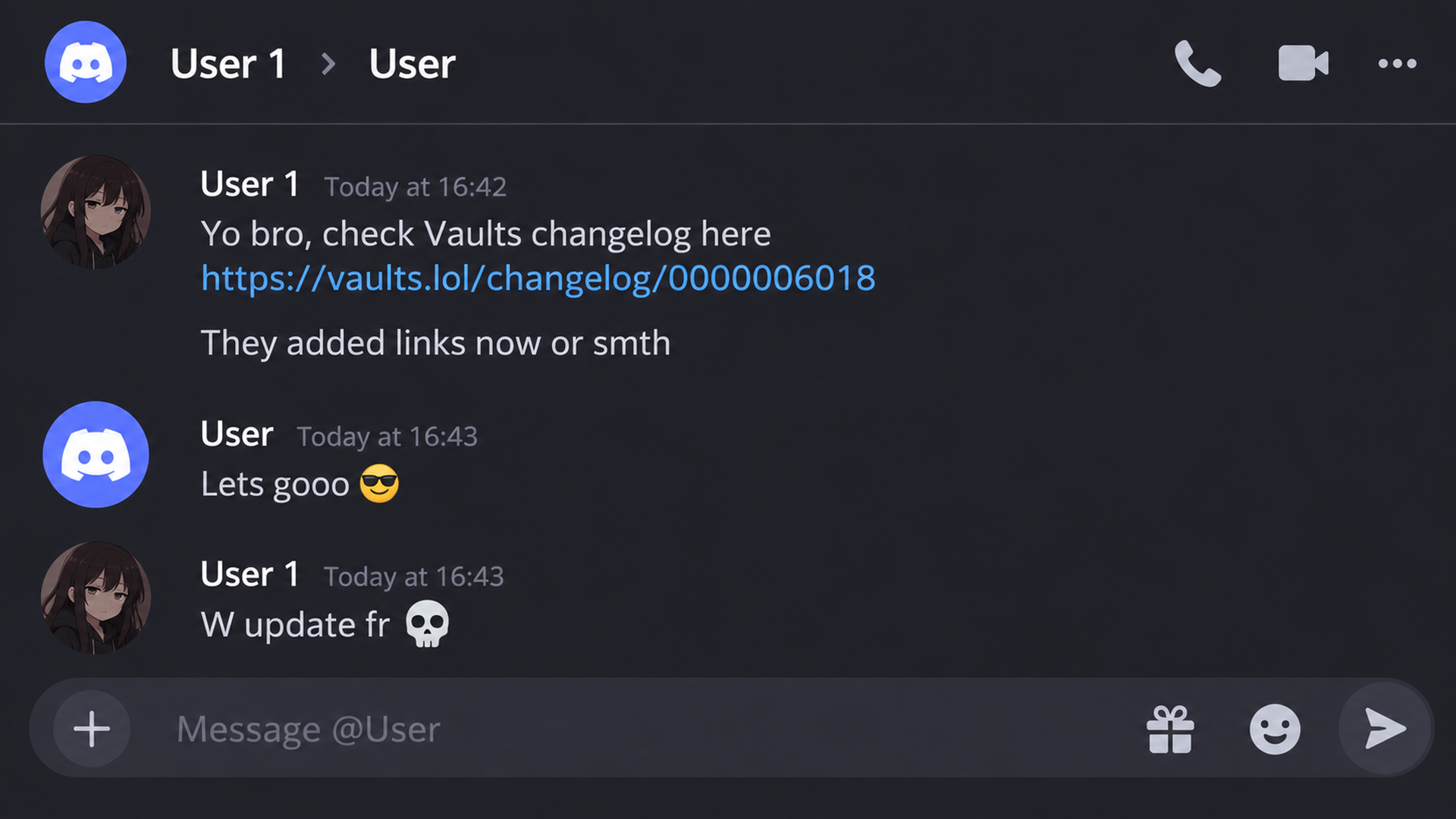
You can now copy a direct link to any individual changelog post using the new "Copy link to post" option. Anyone opening the link will be taken straight to that specific update instead of having to find it themselves. This makes it easier to share specific features, highlight shipped updates or point someone directly to a change we've made.
Discord recently started testing brand new experimental badges many of you have probably seen and claimed yourself, including streaming milestones, game time, and game variety.
Our Discord presence widget is already built and ready to display all of them using Discord's official artwork, with no limit on how many badges can show on your profile.
Because these badges are currently part of a limited experiment for a small percentage of Discord users, Discord does not send them through external public profile feeds yet.
This is entirely on Discord's end. As soon as Discord rolls these badges out broadly and includes them in public profile data, they will show up on your Vaults widget automatically. You will not need to reconnect Discord or change any settings.
Posted 2 days ago
[DISCORD PRESENCE] Got a Massive Upgrade
Every Discord Badge We've completely upgraded the Discord presence widget to use Discord's own artwork for badges, server tags and status emojis. Everything now looks much closer to what you'd actually see on a Discord profile, with support for far more details than before.
The widget now displays every badge available on your Discord profile using Discord's original artwork. This includes account age, quests, orbs, Nitro levels, server booster levels, Bug Hunter, staff, partner, Early Supporter, Moderator Alumni and any new badges Discord introduces in the future. If Discord's full badge list cannot be loaded, the widget falls back to the previous, smaller badge collection.
Authentic Server Tags Your Discord server tag now appears next to your name with the exact icon uploaded by the server. It even uses Discord's compact tag styling, so details like a sword next to server name look just like they do on Discord.
Custom Status and Animated Emojis Your custom Discord status now appears in the widget alongside its emoji, including animated emojis. If you're not playing anything, your status takes the place of "Currently doing nothing". If you're playing a game, your status appears on its own line instead.
Animated Discord Avatars Animated Discord profile pictures now animate directly inside the widget. No more static avatars when your Discord profile picture is animated.
This is a massive step forward for Discord presence on Vaults. We're bringing the actual details and personality of your Discord profile into your page, making the widget more complete and closer to the real Discord experience than ever.
Posted 3 days ago
Dashboard, Games & Visual Overhaul
Launch Video Updated the landing page launch video with new artwork. Removed the redundant center play overlay so the graphic stays crisp and starts immediately on click.
Game Lobbies and Directory Overhauled the starting screens for Type Rush, Chess, and Archers. Removed cramped badges, distracting quote glows, and heavy borders in favor of clean hero cards, clear game mode selections, and dedicated stat summaries. Added dedicated top bars to game lobbies, making Back to games, View progression, and Fullscreen easier to find. Replaced rigid floating animations on game logos and badges with smoother, more natural movement. Upgraded the main Games directory into a responsive tile grid with distinct XP tags.
Dashboard Pages Modernization Replaced the cramped vertical Links editor with a full-width Link buttons manager at the top and an organized 3 to 4 column grid for social profiles below. Cleaned up header text and removed outdated tags across background video, image, and music selections. Polished message cards and partner request forms into cleaner, more balanced panels with consistent dark grey input styling. Fixed the Profile views line chart so it stretches seamlessly from the left edge to the right edge at any screen width. Replaced pure black input fields and segment buttons across dashboard forms with our standard dark grey styling.
Image Host in Main Navigation Moved Image Host out of the Personal section and made it its own button in the left sidebar, right above Membership + More. Replaced the legacy layout with cleaner panels that match the rest of the dashboard.
Profile Importer Improvements Fixed an issue where pressing Enter in the username or URL field cancelled the search. Pressing Enter now proceeds directly to profile discovery. Redesigned the importer wizard with responsive columns across every step, including page selection, content checkboxes, and the final review panel.
Badges and Extras Visuals Swapped the badge chooser background for a subtle, deep dark wave effect that keeps badge and pill cards readable. Positioned labels directly beneath every icon on the Extras page with contrast outlines, keeping navigation easy to follow against moving backgrounds.
Posted 3 days ago
Customize and Sidebar Fixes
Fixed a Customize Page Crash Fixed an issue where switching between profile pages with different badge counts could crash the Customize page. Pages without badges now display correctly.
Delete Button on Pages Fix The Delete button now updates immediately when switching pages, so it always displays the correct page number.
Improved Sidebar Sections All sidebar sections now start open by default, including for existing users. You can collapse each section independently, and your choices are remembered between visits on that device.
Opening one section no longer closes the others. Only the section relevant to your current page is highlighted, keeping the sidebar from becoming cluttered when everything is open.
Step-by-Step Profile Guide - Layout specific settings now appear directly in the relevant guide steps. - Upload and preview custom fonts directly in the font chooser. - The music step now supports up to 5 tracks, with cover art, trimming, positioning, and playback controls. - Improved the music panel and Add Audio button styling. - Fixed the social links grid cutoff and improved scrolling. - Added a dedicated Discord presence step. - Added an interactive prompt explaining profile blocks and opening the block picker. - Redesigned the PC preview button with improved sizing and text spacing.
Discord Presence - Discord Presence settings now carry over from your primary page to newly created pages, avoiding repeated configuration.
UI & Onboarding - Fixed duplicate checkmarks when hiding usernames. - Darkened the `/form` popup backdrop to improve readability. - Simplified signup choices to following the step-by-step profile guide or customizing manually. Importing remains available in the guide. - Moved the guide launcher to a full-width slot below the main Customize tabs.
Block Tiers - Video and 3D Model blocks now require Lifetime, with blue lock badges in the block selector. - Updated wiki guides to reflect current block requirements and free video background options.
Posted 5 days ago
SEVERAL Features Now FREE for Everyone + Updates
Free Video Backgrounds Video backgrounds are now free for everyone, including 140+ videos in the Library and controls for opacity, playback, and dimming.
6 Free Fonts Unbounded, Playfair Display, Outfit, and more are now free to use.
Free Presence Widgets Discord Rich Presence and Roblox player stats are now free for everyone.
Audio Cover Cropping Crop track cover art into a perfect square before saving.
Reactive Tilt Showcase Preview Screen Tilt and Classic Parallax side by side in a dedicated modal.
Customize UI Other Customization now opens by default, and Profile Picture category has been renamed to Profile Appearance.
Posted 6 days ago
Hide Username at "Other Customization"
You can now hide your username handle on any page.
Turning it on hides the @username on your page in every layout, while your display name, badges and identity marks stay.
Share Card Previews Fixed a timing issue that could prevent chat apps from receiving saved Share Card images, titles, and descriptions. Chat crawlers now have more time to retrieve these details without changing the normal profile-loading deadline. Lifetime and Supporter Share Cards use the same eligibility checks. Existing previews may take time to refresh.
Avatar Upload & Import Clicking Profile Avatar in Customize now opens a popup with Upload Avatar and Import Avatar options. Import accepts direct HTTPS image links, including PNG, JPG, WebP, AVIF, and GIF. Still images can be cropped optionally, while GIFs retain their animation. If an image host blocks cropping, the original image can still be used.
Cropping Improvements The crop window now waits for saving to finish, displays errors when cropping or saving fails, and stays open when clicking outside it. The new avatar popup has also been checked at narrow phone widths.
Posted 7 days ago
Templates Are Coming Back
You heard us right. We're bringing Templates back to Vaults.
We'll start with ready-to-use templates made by the Vaults Team, with a goal of launching at least 6–10 templates this week. In the future, we may also let users publish their own templates for others to use.
This has been our most requested feature. And well, let's do it.
Posted 8 days ago
[NEW] 10 Background Effects Added
3 Free Effects Passing Clouds, Dandelion Seeds, and Hot Air Balloons.
7 Supporter Effects Golden Coins, Royal Frame, Gilded Butterflies, Golden Koi, Imperial Gems, Golden Phoenix, and Vault Keys.